Earn
Earn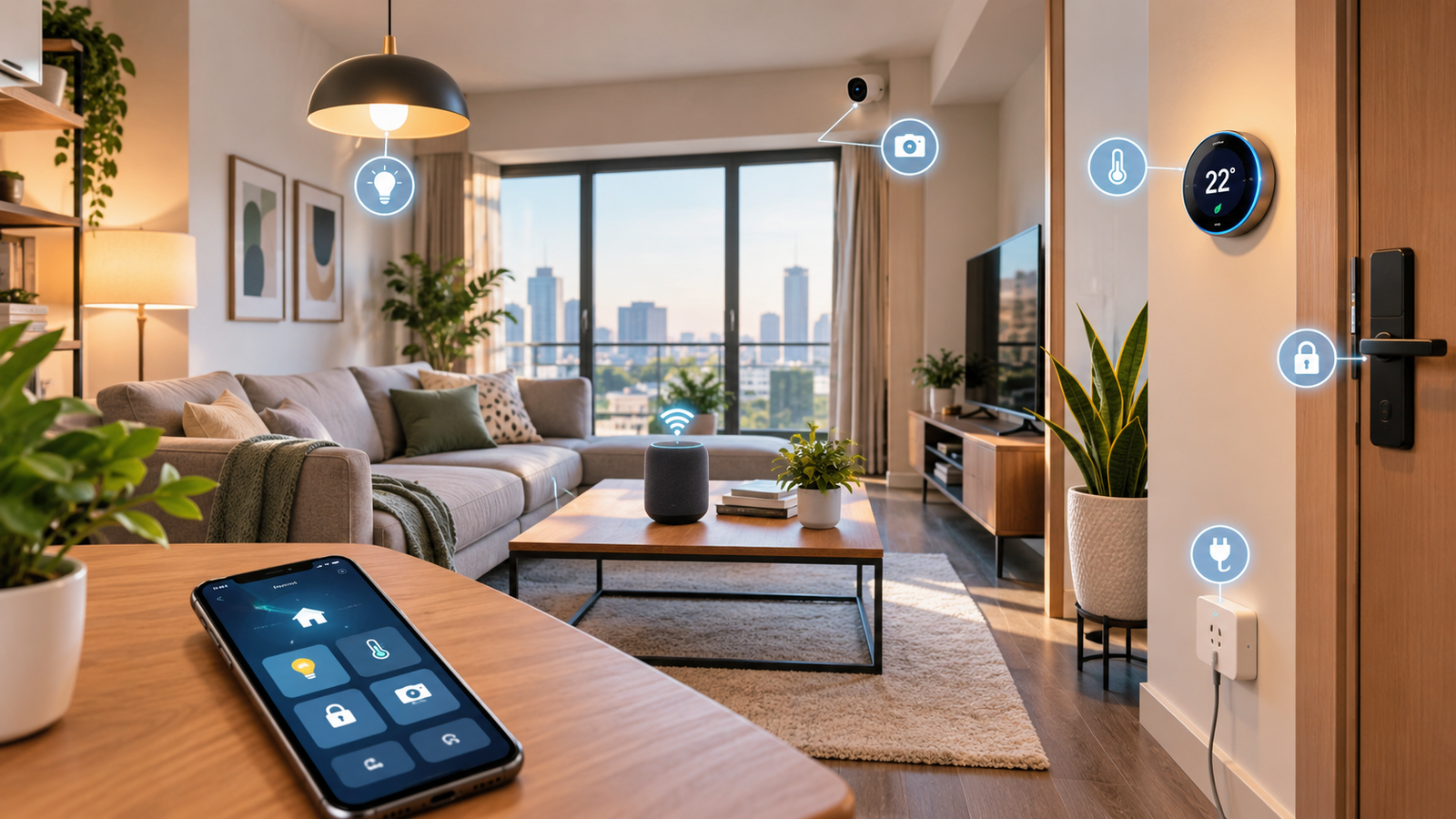
Living in an apartment does not mean you have to miss out on the convenience of a modern smart home. In fact, smart home technology for apartments can be easier to install and manage than a large smart-home system because apartment residents can start with a few carefully selected devices instead of upgrading an entire house.
From smart lights and locks to security cameras, smart plugs, thermostats, speakers, and automated routines, today’s connected devices can make an apartment more convenient, comfortable, secure, and energy-conscious.
The good news is that you do not need to turn your apartment into a complicated technology project. A smart apartment can start with one smart bulb or plug and gradually grow into a connected system that responds to your daily routines.
This guide explains how smart home technology works in apartments, which devices are most useful, how much it can cost, what to consider before buying, how to improve accessibility, and how to build a smart apartment without wasting money.
Quick Overview:
Smart Home Technology for Apartments
| Smart Home Feature | Main Benefit | Best For |
|---|---|---|
| Smart lighting | Remote and automated lighting | Everyone |
| Smart plugs | Automating ordinary appliances | Renters |
| Smart locks | Convenient access and security | Apartment owners/renters where permitted |
| Smart cameras | Monitoring entrances and rooms | Security-conscious users |
| Smart thermostat | Temperature automation | Apartments with compatible HVAC |
| Smart speakers | Voice control | Hands-free control |
| Smart sensors | Automation and alerts | Security and convenience |
| Smart blinds | Automated privacy and lighting | Bedrooms and living rooms |
| Smart appliances | Connected appliance control | Modern apartments |
| Smart hubs/controllers | Centralized automation | Larger smart-home setups |
The most important thing is not the number of devices you own. A good smart apartment is one where the technology solves real problems rather than creating more work.
What Is Smart Home Technology?
Smart home technology refers to connected devices that can communicate with each other, your smartphone, a home network, or a smart-home platform.
Instead of manually controlling every device, you can use an app, voice command, schedule, sensor, or automation to control certain functions.
For example, you could create a routine that:
- Turns off the lights when you leave
- Locks a compatible smart lock
- Adjusts the thermostat
- Turns off selected smart plugs
- Sends an alert if a door sensor detects unexpected activity
This is part of the broader Internet of Things (IoT), where physical devices connect to networks and exchange information.
Modern interoperability standards are also making smart-home ecosystems easier to manage. The Connectivity Standards Alliance describes Matter as an IP-based connectivity standard designed to improve interoperability between compatible smart-home devices and platforms.
How Smart Home Technology Works in Apartments
A smart apartment generally has four basic components:
1. Smart Devices
These are the physical products you install or use.
Examples include:
- Smart bulbs
- Smart plugs
- Smart locks
- Smart cameras
- Smart thermostats
- Motion sensors
- Door sensors
- Smart speakers
2. Home Network
Most connected devices communicate through technologies such as Wi-Fi, Thread, Bluetooth, or Ethernet.
The exact connection depends on the product.
3. Smart-Home Platform
A platform or compatible controller allows you to manage devices from an app or interface.
4. Automation
Automation is what makes a collection of smart devices feel like a smart home.
For example:
If motion is detected after sunset → turn on hallway light.
Or:
When everyone leaves → turn off selected lights and appliances.
Not every device needs to work with every platform, so compatibility should be checked before purchasing. ENERGY STAR also advises consumers to consider communication protocols, systems, hubs, and interoperability when building connected homes.
Best Smart Home Devices for Apartments
You do not need every type of smart device. The best setup depends on your apartment, lifestyle, budget, and landlord or building rules.
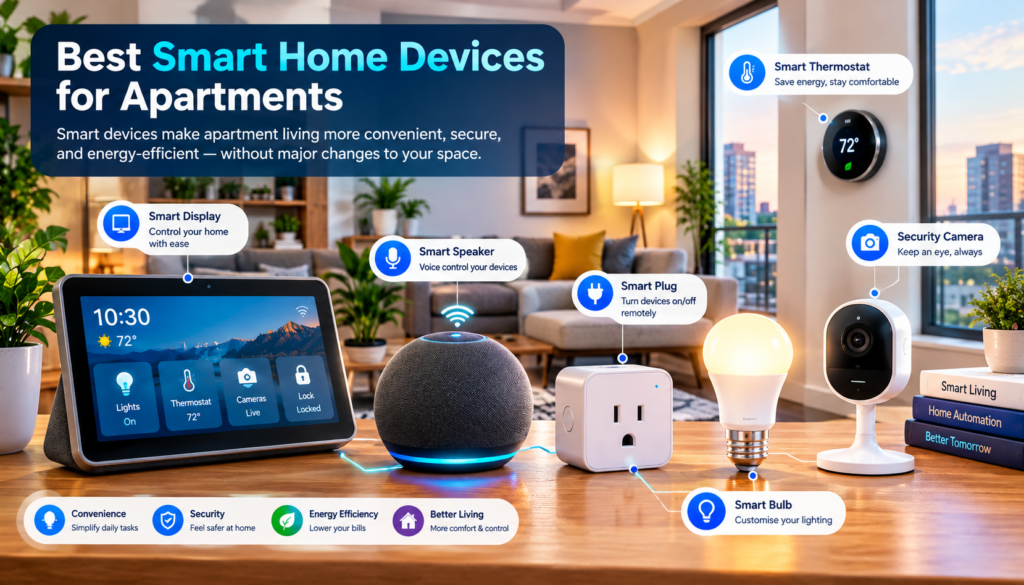
Here are some of the most useful categories.
1. Smart Lighting
Smart lighting is one of the easiest ways to start building a smart apartment.
A smart bulb or smart switch can allow you to:
- Turn lights on and off remotely
- Create schedules
- Adjust brightness
- Change colors on supported bulbs
- Create evening routines
- Control lights with voice commands
- Automate lighting based on time or other triggers
For example, you could schedule bedroom lights to become softer in the evening or automatically turn hallway lighting on after sunset.
ENERGY STAR notes that smart lighting can be remotely controlled or scheduled and can support hands-free control and different lighting settings.
Why smart lighting is useful in apartments
Apartments often have limited space, so lighting can have a major effect on how a room feels.
Instead of replacing every light immediately, start with the rooms you use most:
- Bedroom
- Living room
- Entryway
- Home office
2. Smart Plugs
For renters, smart plugs can be particularly useful because they can make some ordinary appliances part of a smart-home routine without replacing the appliance itself.
Depending on the appliance and plug, you may be able to:
- Schedule power
- Turn connected devices on or off remotely
- Create routines
- Monitor energy use on supported models
For example, a smart plug could be used with a lamp, fan, or another compatible device.
However, always check the plug’s electrical rating and the appliance’s requirements before connecting them.
Smart plugs are especially useful for renters
One major advantage is simplicity.
Instead of installing permanent smart switches, you can add functionality to selected devices with minimal physical modification.
3. Smart Locks
Smart locks can provide convenient ways to manage access to an apartment.
Depending on the model, features may include:
- Smartphone control
- Keypad entry
- Temporary access codes
- Automatic locking
- Activity notifications
- Integration with smart-home routines
However, apartment residents should check their lease and building rules before replacing or modifying a door lock.
For renters, a non-permanent or landlord-approved solution may be more appropriate than replacing the entire locking mechanism.
4. Smart Security Cameras
Smart cameras can help residents monitor entrances, common areas within their permitted space, or other locations where cameras are legally and appropriately installed.
Modern smart cameras may provide:
- Motion detection
- Mobile notifications
- Two-way communication
- Night vision
- Local or cloud storage
- Activity zones
- Person or object detection, depending on the model
Matter 1.5, released by the Connectivity Standards Alliance in November 2025, added support for cameras and expanded energy-management capabilities within the standard.
Apartment camera privacy matters
A camera should be positioned carefully.
Avoid recording areas where other residents reasonably expect privacy, and follow building rules and applicable local laws.
Security is important, but privacy should be part of the design from the beginning.
5. Smart Thermostats
A smart thermostat can be one of the most useful smart devices in an apartment if the apartment has a compatible heating or cooling system.
Depending on the model, you may be able to:
- Change temperature remotely
- Create schedules
- Use geofencing
- Monitor temperature
- Adjust settings when you’re away
- Automate temperature changes
ENERGY STAR says certified smart thermostats are independently evaluated using real-world field data for energy savings, and many offer scheduling, remote control, geofencing, and usage information.
Important: Check HVAC compatibility first
Do not buy a smart thermostat simply because it looks good or has excellent reviews.
Check:
- Your HVAC system
- Wiring
- Required power
- Compatibility
- Building restrictions
Some smart thermostats may require a C-wire or another power arrangement. ENERGY STAR notes that the presence or absence of a C-wire can affect which models are compatible or whether an adapter is required.
6. Smart Speakers and Voice Assistants
Smart speakers can provide a simple control interface for your connected devices.
Instead of opening an app, you may be able to use a voice command to:
- Turn lights on
- Turn lights off
- Set timers
- Control compatible devices
- Run routines
- Get information
Voice control can be particularly useful when your hands are occupied or when accessibility is important.
However, voice assistants also introduce privacy considerations, so review microphone, recording, account, and data settings before using them extensively.
7. Smart Sensors
Sensors are often overlooked, but they can make an apartment considerably smarter.
Useful sensor types include:
Motion sensors
Can trigger lights or other automations.
Door and window sensors
Can notify you when a monitored door or window opens.
Temperature sensors
Can help monitor temperatures in different rooms.
Water-leak sensors
Can provide an early warning about leaks in suitable locations.
Occupancy sensors
Can help automate lighting or other devices based on whether a room is occupied, depending on the system.
Sensors can transform your smart home from a collection of individually controlled gadgets into an automated environment.
Smart Home Technology Integration
Buying smart devices individually is easy.
Making them work together is the more important part.
This is where smart home technology integration becomes important.
Imagine having:
- Smart lights from one brand
- A thermostat from another
- Smart plugs from another
- A security camera from another
If none of them communicate with each other, you may end up managing several different apps.
That can make your smart apartment more complicated rather than smarter.
Look for compatibility before buying
When shopping, check whether a device supports:
- Your preferred smart-home platform
- Your network technology
- Matter, where relevant
- Required hubs or bridges
- Your smartphone ecosystem
- The automations you actually want
Matter is designed to improve interoperability across compatible ecosystems, and the CSA says Matter can operate over Wi-Fi, Thread, and Ethernet, with Bluetooth Low Energy used for commissioning.
Matter 1.6, released in June 2026, further improved setup, multi-ecosystem experiences, and context-driven control.
What Is Matter and Why Does It Matter for Apartments?
If you are researching newest smart home technology, you will probably encounter the word Matter frequently.
Matter is an industry-developed smart-home connectivity standard intended to make compatible devices from different manufacturers work together more easily.
This does not mean every smart device automatically works with every other device.
Instead, you should look for the Matter certification/badge and confirm that the specific device supports the functions and platform you need.
The CSA says Matter supports categories including lighting, electrical devices, locks, HVAC controls, safety and security sensors, media devices, and window coverings, while newer releases have expanded capabilities further.
For apartment residents, this can be useful because you may want the flexibility to add devices over time without locking yourself into one brand.
Benefits of Smart Home Technology for Apartments
There are several reasons apartment residents are adopting connected devices.
1. Convenience
The biggest advantage is simple: fewer repetitive tasks.
You can automate things you normally do every day.
For example:
Morning routine
- Bedroom lights gradually turn on
- Selected lights switch off later
- Temperature adjusts
Leaving-home routine
- Selected lights turn off
- Smart plugs switch off
- Thermostat enters away mode
- Door locks activate if supported
Night routine
- Lights dim
- Doors are checked
- Selected devices turn off
- Security monitoring remains active
2. Better Energy Management
Smart devices can help you understand and manage energy use.
Smart thermostats can automatically adjust heating and cooling based on schedules or occupancy-related features.
Smart lighting can operate on schedules instead of being left on unnecessarily.
Connected appliances and energy-management systems can also provide information or automation designed to reduce consumption. ENERGY STAR describes smart-home energy management systems as systems that can schedule devices, suggest energy-saving actions, and automate devices based on occupancy.
But remember:
A smart device does not automatically guarantee lower bills.
Savings depend on the device, your existing equipment, settings, climate, usage patterns, electricity prices, and how effectively you use the automation.
3. Improved Security Awareness
Smart locks, cameras, sensors, and notifications can help you stay informed about activity around your apartment.
For example:
Door opens → phone receives notification.
Or:
Motion detected → camera records an event according to its configured settings.
This can provide awareness when you’re away.
However, smart-home security should not be treated as a replacement for basic security practices.
4. Accessibility
Smart home technology can also help people who find traditional controls difficult to use.
Voice control, automated lighting, remote device control, sensors, and routines can reduce the need to physically operate switches or repeatedly move around the home.
For example, someone with limited mobility might benefit from being able to control lights or other compatible devices from a phone or voice interface.
The best accessibility setup is highly personal, so the goal should be to remove specific barriers rather than simply adding more technology.
5. Comfort
Smart technology can make a small apartment feel more comfortable without requiring major renovation.
You can automate:
- Lighting
- Temperature
- Window coverings
- Entertainment
- Bedroom routines
- Evening scenes
The key is creating routines around your lifestyle.
Smart Home Technology for People With Disabilities
One of the most valuable applications of smart home technology is accessibility.
A well-designed smart apartment can reduce the need for physical switches, keys, remotes, or repeated movement.
Potentially useful features include:
- Voice-controlled lights
- Smartphone-controlled appliances
- Automated doors or locks
- Motion-triggered lighting
- Smart blinds
- Temperature automation
- Door and window alerts
- Remote control of selected devices
For example, a person with limited mobility may find a voice-controlled lighting system easier than reaching multiple wall switches.
A person with hearing-related accessibility needs may benefit from visual notifications for certain alerts, while someone with limited vision may benefit from voice feedback.
The important principle
Do not automate everything simply because you can.
Automate the tasks that create a real accessibility benefit.
Smart Home Technology Trends in 2026
The smart-home industry continues to move toward interoperability, automation, energy management, and more contextual control.
Here are some of the important trends to watch.
1. More Interoperability
Matter continues to develop as manufacturers and platforms work toward easier cross-brand compatibility.
Matter 1.5 introduced cameras, improved energy-management capabilities, soil sensors, and broader support for closures such as blinds and garage doors.
Matter 1.6, released in June 2026, added further improvements around setup, multi-ecosystem experiences, and context-driven control.
2. Smarter Energy Management
Smart-home systems are increasingly focused on more than convenience.
Energy data, smart appliances, thermostats, EV charging, solar systems, and other connected equipment can increasingly become part of a coordinated energy-management strategy.
Matter 1.5 added capabilities for standardized energy pricing, tariff, carbon-intensity information, smart metering, and enhanced EV-charging scenarios.
3. Context-Aware Automation
Traditional automation might say:
At 7 PM, turn on the lights.
More advanced systems can work around context:
If it is evening, someone is home, and the room is occupied, adjust the lighting.
This approach can make automation feel more natural.
4. Smarter Security
Connected cameras and sensors are becoming increasingly integrated into smart-home ecosystems.
The challenge is balancing convenience with privacy and security.
How Much Does Smart Home Technology Cost?
There is no single price for a smart apartment.
Your budget depends on how many devices you want and whether you need professional installation.
A simple setup can begin with a few inexpensive devices, while a larger system can become considerably more expensive.
Example budget approach
| Budget Level | Possible Setup |
|---|---|
| Starter | Smart bulb + smart plug |
| Basic | Lights + plugs + speaker |
| Mid-range | Lights + sensors + camera + speaker |
| Advanced | Thermostat + locks + cameras + sensors + automation |
| Premium | Multiple rooms + advanced security + energy management + integrated ecosystem |
These are categories rather than fixed prices because device prices vary significantly by country, brand, model, features, and sales.
How to Start a Smart Apartment on a Budget
You don’t need to buy ten devices at once.
A better approach is to start with one problem.
Step 1: Identify an annoying task
Ask yourself:
- Do I frequently forget to turn lights off?
- Do I want better security alerts?
- Is temperature management difficult?
- Do I want hands-free control?
- Do I want to automate appliances?
Step 2: Solve that problem
For example:
Problem: Lights are often left on.
Solution: Smart bulbs or switches + schedules.
Then live with the system for a while.
Step 3: Add the next useful device
After your first automation works well, expand gradually.
This prevents you from spending money on devices that you rarely use.
Smart Apartment Setup for Renters
Renters have different requirements from homeowners.
Before installing anything permanent, check your lease and building rules.
Good renter-friendly options can include:
- Smart bulbs
- Smart plugs
- Plug-in sensors
- Smart speakers
- Compatible cameras
- Some non-permanent smart locks
- Portable smart devices
Permanent electrical modifications, lock replacements, or wired installations may require landlord approval.
Renter rule:
Avoid modifying permanent infrastructure unless you have permission and understand the consequences.
Security and Privacy: What You Need to Know
Smart home technology creates another important responsibility: cybersecurity.
Connected devices can collect information about your home, routines, activity, or environment depending on the product.
NIST’s recent research on smart-home users highlights security and privacy concerns across categories such as lighting, security devices, sensors, thermostats, and voice assistants.
Follow these basic security practices
Use strong, unique passwords
Do not reuse the same password across multiple accounts.
Enable multi-factor authentication
When a service supports MFA, use it.
NIST specifically recommends stronger authentication methods such as multi-factor authentication when available for smart-home device accounts.
Keep devices updated
Install firmware and software updates from legitimate manufacturers.
Secure your Wi-Fi
Your smart-home devices depend heavily on your home network, so router security matters too. NIST notes that consumer routers are important to the security of networks containing IoT devices.
Review privacy settings
Check:
- Microphone permissions
- Camera permissions
- Cloud storage
- Data collection
- Location access
- Account sharing
Avoid unnecessary access
If a device does not need a particular permission, consider disabling it where the product allows.
Common Smart Home Mistakes to Avoid
Mistake 1: Buying devices without checking compatibility
A cheap device is not a bargain if it does not work with your ecosystem.
Mistake 2: Buying too many devices too quickly
More devices do not automatically mean a better smart home.
Mistake 3: Ignoring your Wi-Fi network
A smart home depends on reliable connectivity.
Mistake 4: Forgetting about privacy
Cameras, microphones, sensors, and cloud services can involve sensitive information.
Mistake 5: Automating everything
Too many notifications and complicated routines can become annoying.
Mistake 6: Ignoring apartment rules
Renters should always consider lease and building restrictions.
Mistake 7: Choosing devices only because they are popular
Popularity is not the same as compatibility with your specific apartment.
Smart Home Technology for Small Apartments
Small apartments can actually benefit greatly from smart technology because automation can reduce clutter and simplify daily routines.
For example:
Small bedroom
Use:
- Smart bulb
- Smart speaker
- Temperature sensor
Routine:
Good night → dim light + turn off selected devices.
Living room
Use:
- Smart lighting
- Smart plug
- Speaker
- Optional camera
Routine:
Movie time → dim lights + turn off unnecessary lighting.
Entryway
Use:
- Motion sensor
- Smart light
- Door sensor
Routine:
Motion detected after sunset → turn on entry light.
This type of automation makes technology useful without making the apartment feel overloaded with gadgets.
Smart Home Technology for Apartments: What Should You Buy First?
If you are starting from zero, I would divide your setup into priorities rather than buying everything at once.
Priority 1: Convenience
Start with:
Smart lighting + smart plugs
Priority 2: Security
Add:
Door sensors + suitable camera + notifications
Priority 3: Comfort
Consider:
Smart thermostat + temperature sensors
Priority 4: Automation
Add:
Door sensors + suitable camera + notifications
Priority 5: Advanced energy management
Consider:
Connected appliances, energy monitoring, compatible thermostat systems, and other energy-management devices
This approach keeps the system practical.
Frequently Asked Questions
What is smart home technology for apartments?
Smart home technology for apartments includes connected devices such as smart lights, plugs, thermostats, cameras, locks, sensors, speakers, and appliances that can be controlled remotely or automated.
Can I make my apartment smart without renovation?
Yes. Many smart devices are designed for relatively simple installation, including smart bulbs, plugs, speakers, sensors, and some cameras.
However, permanent electrical, lock, or building modifications may require permission.
What is the best smart home technology for renters?
For many renters, simple and removable devices such as smart bulbs, smart plugs, sensors, and smart speakers are practical starting points.
The best choice depends on the apartment and the user’s needs.
Is smart home technology expensive?
It can be inexpensive or expensive depending on the number and type of devices.
A basic smart apartment can start with only a few devices, while a fully integrated system can require a much larger investment.
Does smart home technology save electricity?
It can help manage energy use, but savings are not guaranteed.
For example, smart thermostats can automate heating and cooling schedules, while smart lighting and connected appliances can provide scheduling or control features. ENERGY STAR says certified smart thermostats are independently evaluated using real-world data for energy-saving performance.
What is Matter in smart home technology?
Matter is an IP-based smart-home connectivity standard designed to improve interoperability among compatible devices and ecosystems.
The standard supports technologies including Wi-Fi, Thread, and Ethernet, with Bluetooth Low Energy used for commissioning.
Are smart home devices secure?
Security varies by device and manufacturer.
Users should use strong passwords, enable multi-factor authentication where available, keep devices updated, secure their home network, and review privacy settings.
NIST identifies cybersecurity and privacy as important considerations for consumer IoT and smart-home devices.
Can smart home technology help people with disabilities?
Yes. Depending on the individual’s needs, voice control, automated lighting, sensors, remote controls, smart locks, and automated routines can reduce physical effort and make certain tasks easier.
Do all smart home devices work together?
No.
Compatibility depends on the device, communication protocol, smart-home platform, hub, and supported features.
This is why checking compatibility before buying is important. ENERGY STAR specifically recommends considering interoperability and communication systems when choosing connected products.
What are the newest smart home technology trends in 2026?
Important developments include greater interoperability through Matter, more advanced energy-management capabilities, connected security devices, improved automation, and more context-aware smart-home experiences. Matter 1.6 was released in June 2026, following Matter 1.5 in 2025.
Final Thoughts
A smart apartment does not need to be filled with expensive gadgets.
The best approach is to identify the everyday problems you want technology to solve and then choose compatible devices that address those problems.
Start small with something simple such as smart lighting or a smart plug. Once you understand how your system works, you can add sensors, security devices, climate controls, smart locks, and other connected products.
For people researching smart home technology for apartments, interoperability should be one of the biggest considerations. Standards such as Matter are designed to make compatible devices from different manufacturers easier to connect and manage, while energy-focused technologies can help residents monitor and automate consumption.
At the same time, convenience should never come at the expense of privacy and security. Strong account protection, software updates, secure Wi-Fi, careful device permissions, and sensible camera placement should be part of every smart-apartment setup.
Ultimately, the goal is simple:
Your apartment should work better for you—not become another device you constantly have to manage.