Earn
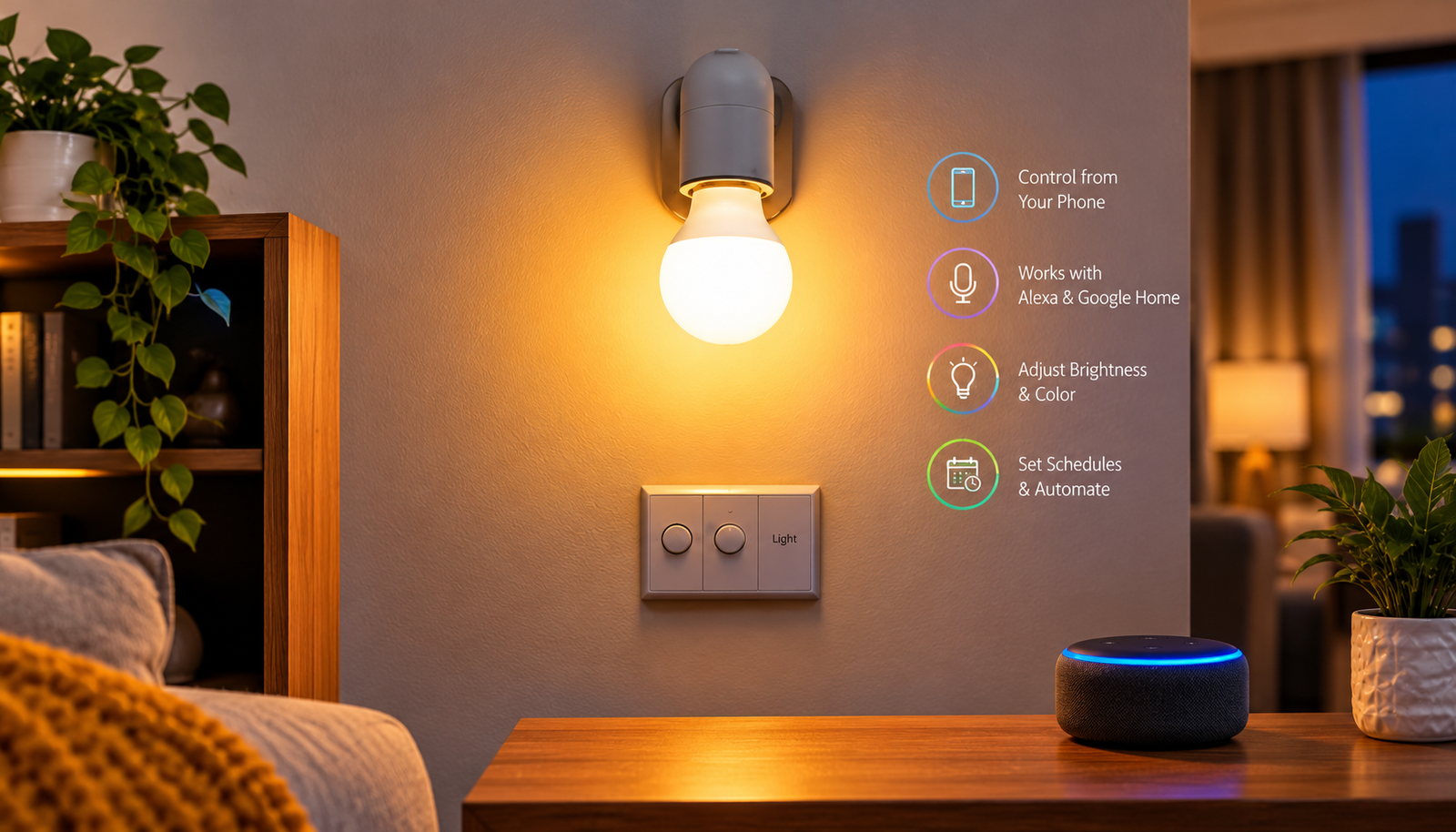
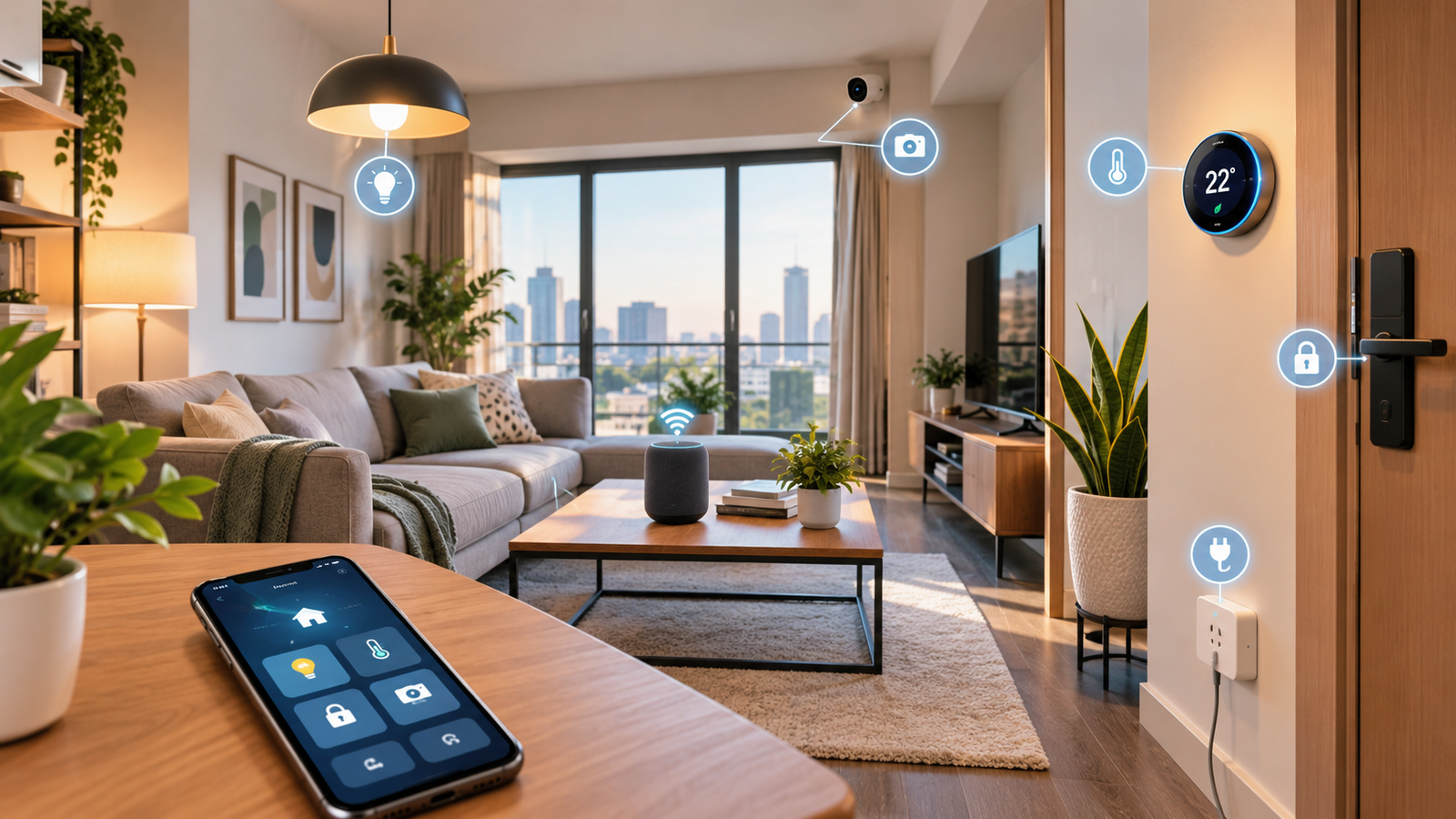
Smart has changed the way people illuminate their homes. Instead of simply switching a light on or off, you can now control your lighting from your smartphone, adjust brightness, change colors, create schedules, and even control lights with your voice.
But what exactly is a smart bulb, and is it really worth adding to your home?
A smart bulb is a connected LED light bulb that can be controlled through a smartphone app, smart-home system, or voice assistant. Depending on the model, it may connect through Wi-Fi, Bluetooth, or a smart hub. Some smart bulbs can also work with Alexa, Google Home, or other smart-home platforms.
In this guide, you will learn what a smart bulb is, how a smart bulb works, how to use one, what features to look for, and whether smart lighting is worth it for your home.
What Is a Smart Bulb?
A smart bulb is an LED light bulb that includes wireless technology and built-in electronics that allow you to control it digitally.
Unlike a traditional bulb, you do not always need to walk over to a physical switch to operate a smart bulb. Depending on its features, you can use a smartphone app or voice command to turn the light on or off, adjust brightness, change colors, or set a schedule.
For example, you could say, “Turn on the bedroom light,” and a compatible voice assistant could switch on your smart bulb.
Some smart bulbs are designed mainly for simple remote control, while others offer advanced features such as millions of colors, adjustable white temperatures, automation, energy monitoring, and integration with other smart-home devices.
What Is a Smart Bulb Used For?
A smart bulb can be used for much more than basic illumination.
You can use smart lighting to:
- Control lights remotely
- Turn lights on or off with your phone
- Adjust brightness
- Change light colors
- Create daily schedules
- Set automatic routines
- Control lights with voice commands
- Create a relaxing atmosphere
- Improve lighting for work or studying
- Make your home appear occupied while you are away
For example, you can schedule your bedroom light to turn on gradually in the morning and turn off automatically at bedtime.
How Does a Smart Bulb Work?
So, how does a smart bulb work?
A smart bulb combines an LED light source with wireless communication technology and a small electronic controller. This allows the bulb to receive commands from another device, such as your smartphone or smart-home assistant.
The exact process depends on the type of smart bulb.
Wi-Fi Smart Bulbs
A Wi-Fi smart bulb connects directly to your home’s wireless network. After setting it up through the manufacturer’s app, you can usually control the bulb from your smartphone.
One major advantage of a Wi-Fi smart bulb is that you can often control it remotely when you are away from home, provided the bulb and app support remote access.
For example, you could turn your lights on before arriving home.
Bluetooth Smart Bulbs
Bluetooth smart bulbs connect directly to a nearby smartphone or compatible device.
They can be convenient because they may not require a Wi-Fi connection for basic local control. However, their range is generally more limited than a Wi-Fi-based system, and remote control capabilities can vary.
Smart Bulbs With a Hub
Some smart lighting systems use a separate hub or bridge. The hub communicates with the bulbs and connects them to your home network or smart-home ecosystem.
This setup can provide reliable communication and support a larger smart-lighting system, although it adds another device and may increase the overall cost.
How to Use a Smart Bulb
Learning how to use a smart bulb is usually straightforward.
Although setup varies between brands, the general process looks like this:
Step 1: Install the Bulb
Turn off the power and install the smart bulb into a compatible light socket.
Make sure the bulb has the correct socket type and voltage for your fixture.
Step 2: Turn the Power On
Switch the light fixture on. Many smart bulbs enter a setup or pairing mode when they receive power for the first time.
Step 3: Download the Manufacturer’s App
Install the official app recommended for your smart bulb. Create an account if required and follow the setup instructions.
Step 4: Connect the Bulb
Depending on the model, you may connect through Wi-Fi, Bluetooth, or a smart hub.
The app should guide you through the pairing process.
Step 5: Give the Bulb a Name
Naming your bulbs can make voice control much easier.
Instead of saying something complicated, you might name a bulb “Bedroom Light” or “Desk Lamp.”
Step 6: Customize the Lighting
Once connected, explore the available controls. You may be able to adjust brightness, color, white temperature, schedules, and scenes.
How to Use a Smart Bulb With Alexa
Many smart bulbs can work with Amazon Alexa.
If your bulb supports Alexa-compatible smart-home integration, you typically need to connect the bulb’s app or smart-home skill with your Alexa account.
After the connection is complete, you can use voice commands to control compatible lights.
For example:
“Alexa, turn on the bedroom light.”
You may also be able to control brightness or groups of lights, depending on the bulb and Alexa integration.
How Does a Smart Bulb Work With Alexa?
The smart bulb communicates with your home network or compatible hub. Alexa then sends commands through the supported smart-home system.
For example:
You → Alexa → Smart-home system → Smart bulb
The exact communication method depends on the bulb and its compatibility.
Before buying a smart bulb for Alexa, always check that Alexa support is officially listed by the manufacturer.
Smart Bulbs With Google Home
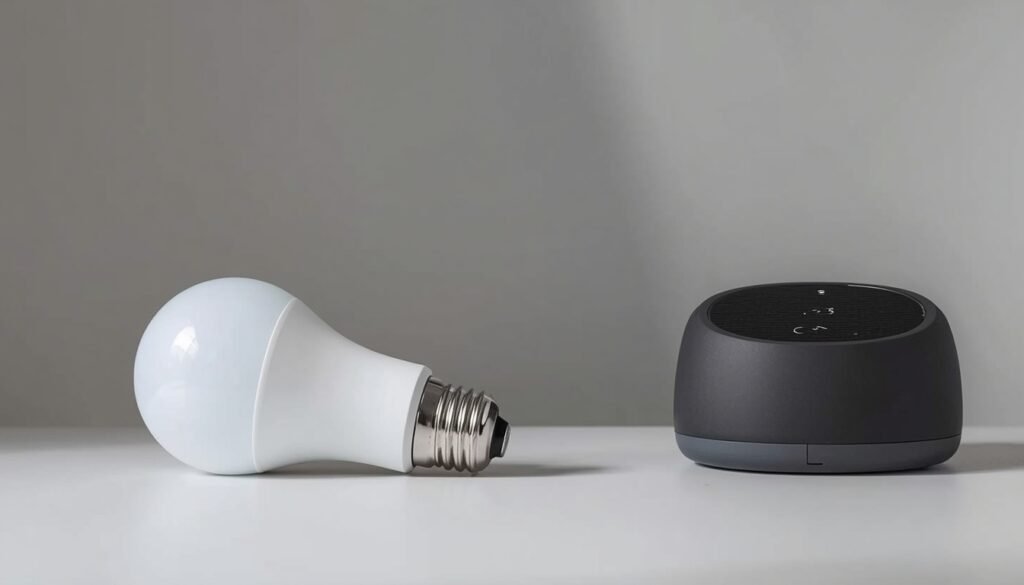
Google Home can also be used with many smart lighting products.
Once a compatible smart bulb is connected to your Google Home setup, you may be able to control it using voice commands or the Google Home app.
This can be especially useful if you already use Google smart-home devices.
When shopping, look for clear compatibility information rather than assuming every smart bulb works with every smart-home platform.
Benefits of Smart Bulbs
Smart bulbs offer several advantages over conventional lighting.
1. Remote Control
One of the biggest benefits is the ability to control your lights without physically touching the switch.
If you are already in bed, you can turn off the light from your phone instead of getting up.
2. Adjustable Brightness
Many smart bulbs allow you to dim or brighten the light.
You could use brighter lighting while working and softer lighting while relaxing.
3. Color-Changing Options
RGB smart bulbs can produce different colors, allowing you to create different moods and environments.
For example, you might choose a cool color for a workspace and a warmer tone for the evening.
4. Scheduling
Smart bulbs can follow schedules.
You can set your lights to turn on in the morning, switch off at bedtime, or operate at specific times while you are away.
5. Voice Control
Compatible smart bulbs can be controlled through voice assistants such as Alexa or Google Home.
This can be particularly useful when your hands are occupied.
6. Home Automation
Smart bulbs can become part of a larger smart-home routine.
For example, one routine could turn on the living-room lights, adjust their brightness, and activate other compatible devices at the same time.
7. Convenience
Perhaps the biggest advantage is convenience. Once everything is configured correctly, many everyday lighting tasks can happen automatically.
Smart Bulb vs. Regular LED Bulb
A traditional LED bulb is designed mainly to provide efficient lighting. A smart bulb adds connectivity and digital controls.
| Feature | Smart Bulb | Regular LED Bulb |
|---|---|---|
| Smartphone control | Usually available | No |
| Remote control | Usually available | No |
| Dimming | Many models | Depends on bulb/fixture |
| Color changing | Some models | Usually no |
| Voice control | Supported models | No |
| Scheduling | Yes | No |
| Smart-home integration | Yes | No |
| Simple installation | Usually | Yes |
| Cost | Usually higher | Usually lower |
A regular LED bulb can be the better choice if you simply need affordable and reliable lighting.
A smart bulb makes more sense when you want automation, remote control, voice commands, or customizable lighting.
Do Smart Bulbs Need Wi-Fi?
Not every smart bulb requires Wi-Fi.
Some bulbs use Bluetooth, while others use a dedicated smart hub or another wireless technology.
However, the features available without Wi-Fi can vary significantly between products.
If remote control is important to you, check the manufacturer’s specifications before purchasing.
What Is a Smart Bulb Hub?
A smart bulb hub is a device that helps compatible smart bulbs communicate with your home network and other smart-home devices.
Not every smart lighting system needs a hub.
Some modern bulbs connect directly to Wi-Fi or Bluetooth, while others are designed to operate through a dedicated bridge or hub.
A hub-based system can be useful when you want to build a larger lighting setup, but it also means buying and managing an additional device.
Are Smart Bulbs Energy Efficient?
Many smart bulbs use LED technology, which is generally more energy-efficient than older traditional incandescent lighting.
However, the actual electricity consumption depends on the bulb’s wattage, brightness, usage time, and other features.
Smart features themselves do not automatically mean that a bulb will use less electricity.
The biggest advantage is that automation can make it easier to manage your lighting. For example, you can schedule lights to switch off automatically instead of accidentally leaving them on for hours.
Are Smart Bulbs Worth It?
Whether smart bulbs are worth buying depends on how you use your lighting.
They can be a good investment if you want:
- Smartphone control
- Voice commands
- Automated schedules
- Adjustable brightness
- Color-changing lighting
- Smart-home integration
- Remote access
However, if you only need a basic light that turns on and off with a wall switch, a standard LED bulb may be more practical and less expensive.
For someone building a smart home, smart bulbs can be one of the easiest ways to start.
What to Look for When Choosing a Smart Bulb
Choosing the right smart bulb can be confusing because there are many options.
Here are the most important factors to consider.
Socket Type
Check the socket size before buying. Common socket types include E26 and E27, but other sizes are also available.
Brightness
Look at the bulb’s brightness, usually measured in lumens.
A higher lumen rating generally means more light output, but the right brightness depends on the room.
Color Temperature
Some bulbs offer adjustable white tones.
Warm white can create a cozy atmosphere, while cooler white may be useful for working or concentrating.
Color Options
If you want colorful lighting, look for an RGB or color-changing smart bulb.
If you only need adjustable white lighting, a color bulb may not be necessary.
Connectivity
Consider whether you want Wi-Fi, Bluetooth, or a hub-based system.
Smart-Home Compatibility
Check whether the bulb works with the platform you already use, such as Alexa or Google Home.
App Quality
The mobile app is an important part of the experience. Look for features such as schedules, scenes, groups, automation, and easy setup.
Price
You do not necessarily need the most expensive smart bulb.
The best smart bulb for you is the one that provides the features you actually need while working reliably with your existing devices.
Best Smart Bulb Features to Look For
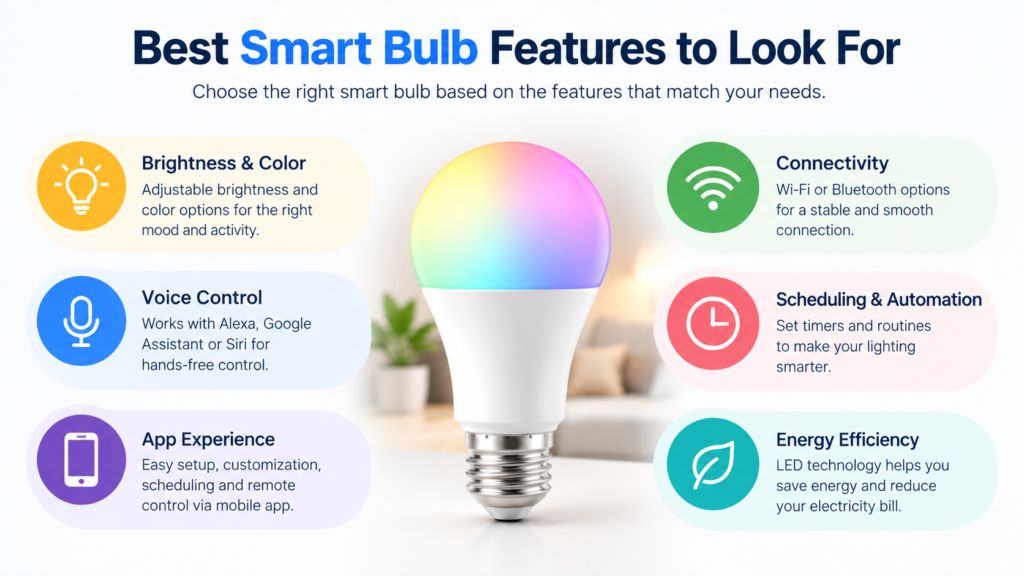
If you are searching for the best smart bulb, focus on useful features instead of simply choosing the product with the longest feature list.
A good smart bulb may offer:
- Reliable connectivity
- Easy setup
- Good brightness
- Adjustable color temperature
- Dimming
- Voice assistant support
- Scheduling
- Smartphone control
- Smart-home compatibility
- A reliable companion app
For a bedroom, adjustable warm lighting may be more important than millions of colors.
For a gaming room, RGB lighting may be more attractive.
For a home office, brightness and adjustable white temperature may matter more.
In other words, the best smart bulb is different for every user.
Common Smart Bulb Problems
Smart bulbs are convenient, but they can occasionally cause problems.
The Bulb Will Not Connect
Check whether your phone is connected to the correct network and follow the manufacturer’s reset instructions.
The Bulb Goes Offline
A weak Wi-Fi signal, network changes, or router problems can sometimes cause connectivity issues.
Voice Control Does Not Work
Check that the bulb is compatible with your voice assistant and that the correct account or smart-home service is linked.
The Bulb Does Not Respond
Make sure the physical light switch is turned on. A smart bulb cannot receive commands when power to the fixture has been completely cut off.
Frequently Asked Questions
What is a smart bulb?
A smart bulb is a connected LED light bulb that can be controlled using a smartphone, smart-home platform, or compatible voice assistant.
How does a smart bulb work?
A smart bulb uses wireless technology such as Wi-Fi or Bluetooth, or communicates through a compatible hub. This allows digital commands to control its lighting functions.
How do you use a smart bulb?
Install the bulb, connect it using the manufacturer’s app or compatible hub, and then use the app or supported voice assistant to control it.
Can a smart bulb work without Wi-Fi?
Some smart bulbs can work through Bluetooth or another connection method without Wi-Fi. However, available features depend on the specific model.
Can a smart bulb work with Alexa?
Many smart bulbs support Alexa. Always check the manufacturer’s compatibility information before buying.
Do smart bulbs change color?
Some smart bulbs can change between different colors, while others only provide adjustable white light.
Do smart bulbs use a lot of electricity?
Smart bulbs are commonly based on LED technology, which can be energy-efficient. Actual consumption depends on the bulb’s wattage and how long it is used.
Are smart bulbs worth buying?
They can be worth buying if you want remote control, automation, dimming, voice commands, or smart-home integration. For simple lighting needs, a regular LED bulb may be enough.
Final Thoughts
A smart bulb is more than just a light source. It can become a useful part of your smart-home setup by giving you control over brightness, colors, schedules, and automation.
If you are new to smart-home technology, you do not need to automate your entire house at once. Starting with one bulb in a bedroom, living room, or home office can help you understand how smart lighting works.
Before buying, consider the features that actually matter to you. Check the socket type, brightness, connectivity, app, voice-assistant compatibility, and smart-home support.
Whether you want a simple Wi-Fi smart bulb, a color-changing light, or a bulb that works with Alexa, choosing according to your needs will give you a much better experience than simply buying the most expensive option.
Smart lighting is ultimately about making everyday life more convenient, customizable, and connected and for many homes, a smart bulb is one of the simplest ways to get started.